AI Essay Writer

Turn a topic into an essay with your preferred tone and length.
Write, edit, format, convert, and manage text. One simple toolkit for your everyday words.
Turn a topic into an essay with your preferred tone and length.
Rewrite your text using fresh wording and a tone you choose.
Turn a story idea into a draft with your chosen tone and length.
Turn a longer passage into a clear summary of its main ideas.
Upload a PNG, JPG, TIFF, BMP, GIF, WEBP or HEIC image, choose the text language and recognition settings, and convert its text into an editable document.
Turn text into a downloadable PDF.
Check and improve grammar, spelling, and phrasing in your text.
Translate up to 1,000 words and review the result before copying or downloading.
Generate one PNG image from a prompt. Explore visual styles, choose a canvas, and review and download your result.
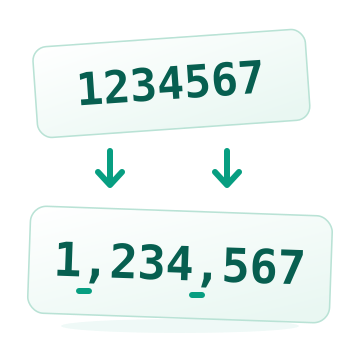
Insert commas or periods into numbers in text for clear, readable formatting
Replace a specific text or delimiter with a line break to turn delimited text into separate lines
Add sequential numbers, letters, or roman numerals to every text line
Wrap every line with a prefix, a suffix, or both—fast, consistent, and browser-based
Open a JPG, PNG or WebP, add editable text on the canvas, and export the finished design as an image.
Create an article from your topic, with language, tone, and length controls.
Explore business name ideas based on your brand description.
Draft an email from your instructions in your preferred language and tone.
Generate relevant hashtag ideas from your content.
Find keyword ideas related to the text you provide.
Create a paragraph from a topic or a short set of instructions.
Generate questions and answers from the information in your text.
Create slogan ideas that express what your brand offers.
Create title ideas from your text or a description of your content.
Turn an idea into a short social post in your chosen language and tone.
Draft a video script from your topic or description.
Decode Base64-encoded text into readable text online
Encode text into Base64 for ASCII-safe transmission over text-based protocols
Convert normal text into bold Unicode characters for easy copy and paste
Center text by padding the left and right sides equally with spaces or an arbitrary character
Remove or keep entire lines from text based on whether they contain a word
Convert a fixed number of consecutive spaces into one tab in your text
Convert tab characters into an arbitrary (fixed) number of spaces for consistent indentation
Convert text to sentence case, title case, lowercase, or UPPERCASE—fast and online
Generate aesthetic copy-and-paste fonts for chat, profile names, and status updates
Convert regular text into cursive-style Unicode you can copy and paste
Add full or reduced Arabic diacritics, or remove existing vowel marks.
Extract a specific column from delimited text or CSV using a delimiter and column number
Extract all email addresses from text or HTML content and get a clean, readable list
Extract and list web links from text or HTML content in seconds
Search text for a word or substring and replace all occurrences—optionally match case
Convert normal text into upside down (flipped) text using Unicode characters
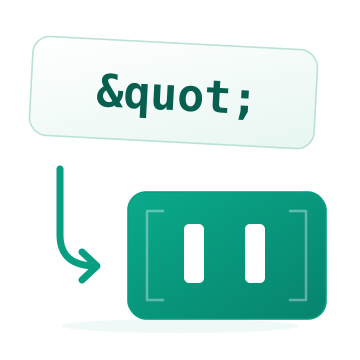
Convert HTML entities into reserved symbols and readable characters
Convert reserved symbols and characters into HTML entities—online and free
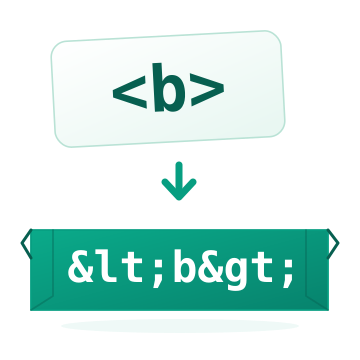
Convert reserved characters into HTML entities to safely display HTML text
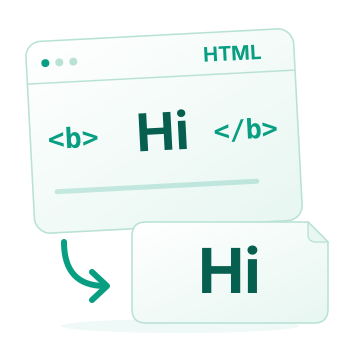
Extract plain text from HTML by stripping tags—fast, free, and online
Use html unescape online, then review, copy, or download your result.
Add a chosen symbol between the characters of each word for chatting and text decoration
Convert regular text to italic style using Unicode characters—copy and paste anywhere
Extract readable text from JSON by stripping JSON tags and structure
Wrap words to a chosen line length and adjust spacing so text aligns evenly
Mirror text characters using Unicode—convert normal text into reversed/mirrored letters you can copy and paste
Convert digits between Latin, Arabic, Persian, and Hindi number formats.
Edit plain text online in your browser and export as TXT, HTML, or PDF
Convert regular text into an Old English style using Unicode characters—ready to copy and paste
Pad text left or right using spaces or custom characters—set your target line size
Extract selectable PDF text into a UTF-8 text file.
Remove accent and diacritic marks from text and convert accented letters into plain Latin characters
Clean text instantly by removing repeated lines online
Remove repeated words from text and keep only one instance
Free online tool to remove all embedded emojis and keep only your text
Remove blank lines from text instantly to clean and normalize your content
Remove leading, trailing, and extra spaces in text lines for cleaner, consistent formatting
Remove every text line break or replace line breaks with a delimiter or custom text
Clean text by removing embedded Unicode characters online
Remove any set of letters, symbols, or characters from text using presets or your own custom character set
Convert smart (curly) quotes to straight quotes—or straight quotes to smart quotes
Reverse the order of characters in each text line instantly—free and online
Reverse the order of words in each line of text—fast, free, and online
Edit text and HTML online, then export as TXT, HTML, or PDF
Randomly reorder lines in your text—fast, simple, and free
Sort an unordered list of strings in ascending, descending, or reverse order
Extract columns from delimited text by choosing a delimiter (comma, space, or any valid character)
Swap two columns in delimited text by choosing a delimiter and two column numbers
Repeat your text a chosen number of times—fast, simple, and browser-based
Decode URL-encoded text by recovering reserved special characters—supports multiple URLs, one per line
Encode URLs by converting reserved special characters into standard codes
Count words, characters, paragraphs, and lines in your text
Count repeated words, compare their share of your text, and export a clear word frequency report.
Wrap text lines by setting the number of characters per line
Extract readable text from XML by stripping tags online
Compare two texts, spot every change, and create a clear comparison report.
Format, validate and explore JSON. Keep every number precise, find errors quickly, and download clean JSON.
Create just the right amount of placeholder text for your next design. Choose paragraphs, words, sentences or lists.
Find your typing rhythm with timed challenges, live accuracy, a pace guide, and a personal performance report.
Try another search, choose a different category or save a tool using its heart button.
NEW & IMPROVED
Compare, create, explore and play. Discover four new tools and two fresh favorites.
Compare two texts, spot every change, and create a clear comparison report.
Format, validate and explore JSON. Keep every number precise, find errors quickly, and download clean JSON.
Create just the right amount of placeholder text for your next design. Choose paragraphs, words, sentences or lists.
Find your typing rhythm with timed challenges, live accuracy, a pace guide, and a personal performance report.
Count words, characters, paragraphs, and lines in your text
Generate aesthetic copy-and-paste fonts for chat, profile names, and status updates
Start an essay, article, story or email from a short brief. Choose your tone, length and language, then build on an AI-generated draft instead of starting with a blank page.
Review the result, add your own knowledge and voice, and copy or download the text when it is ready.
Polish a message, find a clearer way to explain an idea, or translate text for a new audience. Use focused AI tools to help with the writing tasks that repeat throughout your day.
Draft articles, essays, stories, emails and social posts from the ideas you provide.
Paraphrase a passage, check its grammar or choose wording that better fits your audience.
Summarize longer content, generate titles and keywords, or translate text into another language.
Turn a topic into an essay with your preferred tone and length.
Rewrite your text using fresh wording and a tone you choose.
Turn a story idea into a draft with your chosen tone and length.
Turn a longer passage into a clear summary of its main ideas.
Draft an email from your instructions in your preferred language and tone.
Check and improve grammar, spelling, and phrasing in your text.
Start a draft, rewrite a paragraph or find a clearer way to say it.
Clean up spacing, change formatting and turn unstructured text into useful information.
Choose your settings, review the result and copy or download when you are ready.
Choose the writing, editing or conversion task you want to complete.
Paste your text or add a supported file, then choose your settings.
Review the output and download it to your device.
Answers before you start.
Write with AI, improve grammar, rewrite or summarize content, format and clean text, convert files, and extract useful information. Each focused tool explains its options.
No. Open a tool in your browser, paste your text or add a supported file, and get started without signing up or installing software.
Most text cleanup and formatting tools run on your device. AI writing, translation, OCR and some conversions use our processing servers. The workspace identifies the processing method.
Text tools provide an editable result. Review it, make changes, then copy or download your final text.
Yes. AI writing and translation tools include language choices. The i2TEXT interface is available in 38 languages.
Yes. The layout adapts to phones, tablets and computers. A larger screen can make longer writing and detailed image editing more comfortable.