
Convert supported numeral characters to one selected digit set while preserving the surrounding text. Follow the workflow with the input and settings below. Open Normalize Numbers.
Prepare the source text
Open Normalize Numbers and choose Write or paste text, or upload a supported UTF-8 text file. The upload opens the editor; it does not run the tool. This example uses the exact source shown in the comparison.
Maximum 1 MB UTF-8 input and result, with a 1,048,576-character ceiling.
Use the exact example input
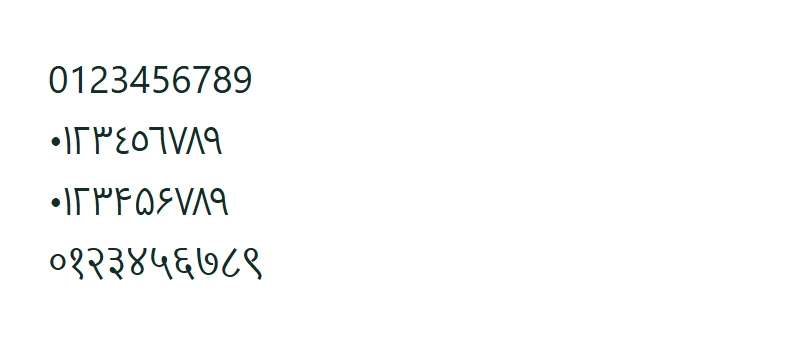
0123456789
٠١٢٣٤٥٦٧٨٩
۰۱۲۳۴۵۶۷۸۹
०१२३४५६७८९
Normalization runs as a deterministic server operation when submitted. It does not use a generative AI request. Temporary text-processing files are removed when the request finishes.
Choose the settings
For the recorded example, use these settings: Number format: Latin: 0123456789.
Select Latin, Arabic, Persian or Hindi digits. The converter maps recognized digits from those supported sets to their numeric equivalents in the selected set. It leaves words, whitespace and other characters in place.
The example in this guide
Verified in the i2TEXT browser workflow on November 11, 2026.
- Input
- example.txt
- Output
- normalize-numbers.txt
- Saved result
- 43 bytes
Apply and inspect the result
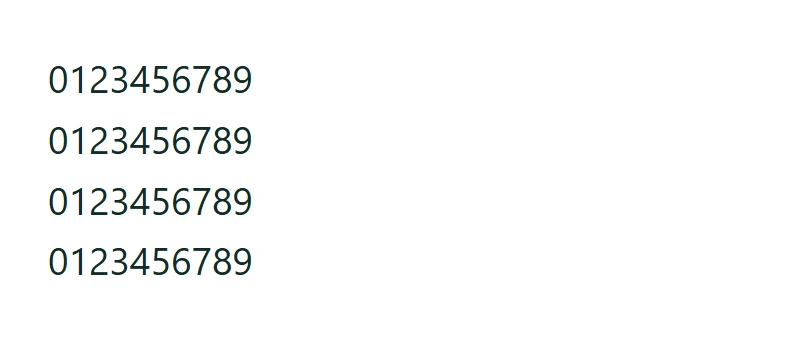
Select Normalize numbers when the input and settings are ready. This submits the processing request; loading a sample or changing an option alone does not submit it. In the saved example, the result begins: "0123456789".
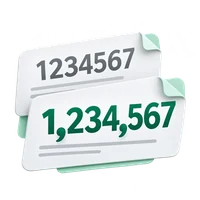
Digit normalization is not locale formatting. Separators, number words and unsupported numeral systems are not converted.
Save the version you reviewed
Review the current result, then use Download text to save a TXT file. The actual download in this example is named normalize-numbers.txt. Copy and download use the current result, so make any final wording changes before saving. Continue to can carry the result into a compatible next tool, where you review it before running another operation.
example.txtnormalize-numbers.txt
Common questions
Which settings produced this example?
Number format: Latin: 0123456789.
What should I check before using the result?
Digit normalization is not locale formatting. Separators, number words and unsupported numeral systems are not converted.
Where is this text processed?
Normalization runs as a deterministic server operation when submitted. It does not use a generative AI request. Temporary text-processing files are removed when the request finishes.
Try Normalize Numbers with your own text.
Use your own source and review the result before sharing.