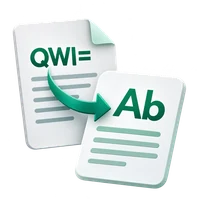
Turn supported Latin letters into copyable italic characters without installing a font. Follow the exact input and settings below to reproduce this example. Open Italic Text Generator.
Prepare the source text
Open Italic Text Generator and choose Write or paste text, or upload a supported UTF-8 text file. The upload opens the editor; it does not run the tool. This example uses the exact source shown in the comparison.
Maximum input and result: 1 MB of UTF-8 text, with a 1,048,576-character input ceiling. Expanding transformations must also fit the result limit.
Use the exact example input
Hello World
This text operation runs in your browser; its source and result are not sent for conversion. A draft may be kept in this browser tab when session storage is available. Clear removes the current draft; download important work before closing the tab.
Choose the settings
For the recorded example, use these settings: Also bold: Off.
The converter maps A to Z and a to z to mathematical italic characters. Also bold changes the mapping to bold italic. Unsupported letters, numbers and punctuation are preserved, so mixed-language text may have a mixture of styles.
The example in this guide
Verified in the i2TEXT browser workflow on November 11, 2026.
- Input
- example.txt
- Output
- italic-text-generator.txt
- Saved result
- 41 bytes
Apply and inspect the result
Select Italic Text Generator when the input and settings are ready. In the saved example, the result begins: "𝘏𝘦𝘭𝘭𝘰 𝘞𝘰𝘳𝘭𝘥".
The result is Unicode text rather than a document style. Check readability and accessibility in the app where you plan to use it.
Save the version you reviewed
Review the current result, then use Download text to save a TXT file. The actual download in this example is named italic-text-generator.txt. Copy and download use the current result, so make any final wording changes before saving. Continue to can carry the result into a compatible next tool, where you review it before running another operation.
example.txtitalic-text-generator.txt
Common questions
Which settings produced this example?
Also bold: Off.
What should I check before using the result?
The result is Unicode text rather than a document style. Check readability and accessibility in the app where you plan to use it.
Where is this text processed?
This text operation runs in your browser; its source and result are not sent for conversion. A draft may be kept in this browser tab when session storage is available. Clear removes the current draft; download important work before closing the tab.
Try Italic Text Generator with your own text.
Use your own source and review the result before sharing.